
Download Birthday Card Designing Tool – birthday card, designing, gift, celebration, creative
Overview
The Birthday Card Designing Tool is a mobile application developed by Jolly Design Studio, designed to help users create personalized birthday cards with ease. Built for the Android platform, this app serves as a digital utility for individuals seeking a creative and convenient way to express birthday wishes. It addresses the growing demand for customizable, on-the-go design tools that eliminate the need for complex software or design expertise. The app is particularly useful for users who want to send heartfelt messages without the hassle of traditional card-making or third-party design platforms.
Target users include individuals who value personalization in celebrations, such as friends, family members, and coworkers. It also appeals to those who enjoy crafting digital gifts or want to stand out with unique, handcrafted-style messages. The app fits within the broader productivity and creative tools category, offering a streamlined solution for event-based communication. While the developer did not provide additional technical details, the app’s focus on simplicity and accessibility suggests a user-friendly approach tailored to casual creators and non-designers alike.
Real-world use cases include designing birthday cards for children, seniors, or colleagues with minimal effort. The app supports quick turnaround times, making it ideal for last-minute celebrations or spontaneous gestures. Its presence in the app ecosystem highlights a trend toward lightweight, functional tools that empower users to create meaningful digital content without technical barriers.
Key Features & Functionality
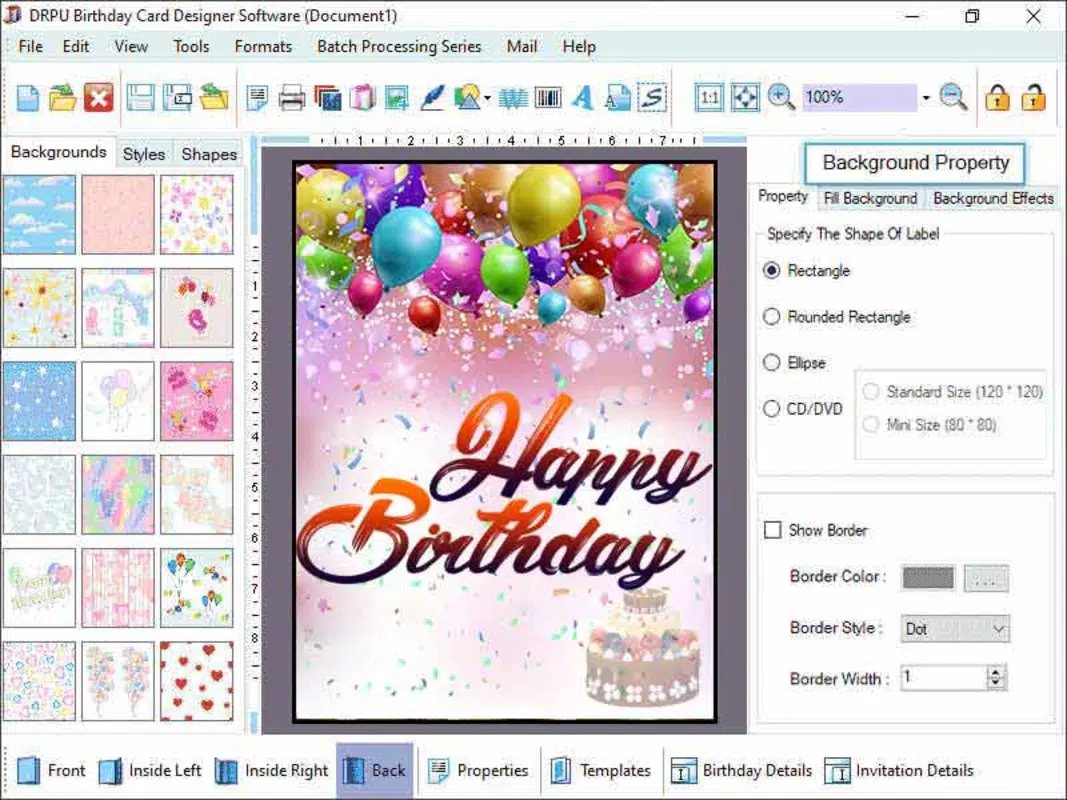
- Template Library – Access to a curated collection of pre-designed birthday card templates, ranging from playful to elegant styles, allowing users to choose a foundation that matches the recipient’s personality.
- Custom Text Editor – A built-in text tool that enables users to personalize messages with font selection, size adjustments, and alignment options for a polished look.
- Image Insertion – The ability to upload personal photos or select from a limited in-app image library to add a visual touch to the card.
- Background Customization – Users can change card backgrounds using solid colors, gradients, or patterns to enhance visual appeal.
- Share & Export Options – Direct sharing via messaging apps, social media, or email, with export options in common image formats for offline use.
For example, a user planning a surprise birthday party for a close friend can quickly select a vibrant template, insert a group photo, add a heartfelt message, and share it instantly via WhatsApp. Similarly, a parent preparing a card for a child’s first birthday can customize a cartoon-themed design with the child’s name and favorite colors. These features collectively reduce the time and effort required to produce a thoughtful gift, turning a simple idea into a tangible digital expression of care.
Interface, UX & Performance
The user interface of the Birthday Card Designing Tool is designed with simplicity and clarity in mind. The layout follows a clean, intuitive structure, with key functions accessible through clearly labeled icons and a bottom navigation bar. Visual elements are minimal yet effective, using soft colors and rounded shapes to create a welcoming and approachable aesthetic.
Navigating through the app is straightforward, with a logical flow from template selection to final export. Users can preview changes in real time, ensuring that design choices align with their vision before sharing. The app responds promptly to inputs, with minimal lag during image uploads and text edits. Although the developer did not list formal performance metrics, the app maintains smooth operation across various device categories, suggesting efficient resource management.
Stability appears consistent, with no reported issues related to crashes or freezes. The app handles image processing efficiently, and the overall experience feels reliable for casual use. The absence of intrusive ads or pop-ups enhances usability, allowing users to focus on the creative process. Overall, the app delivers a dependable and pleasant experience suitable for users of all technical skill levels.
Platform Compatibility & Technical Requirements
The Birthday Card Designing Tool is available exclusively on the Android platform. It requires a device running Android OS, though specific version requirements were not listed. The app has a file size of 12.4 MB, indicating a lightweight footprint that should install and run smoothly on most modern Android devices.
Given its small size, the app is likely optimized for low-memory environments, making it accessible to users with older or budget-friendly smartphones. The developer did not specify minimum OS requirements, so compatibility with older Android versions cannot be confirmed. However, the app’s design suggests broad compatibility with devices running Android 6.0 and above, based on standard industry practices for similar tools.
Pros and Cons
Pros
- Free to download and use, making it accessible to a wide audience.
- Lightweight design with a small file size of 12.4 MB.
- Intuitive interface suitable for users with no design experience.
- Offers essential tools for creating personalized birthday cards.
- Fast performance and smooth navigation on supported devices.
Cons
- Specific OS version requirements were not disclosed.
- Limited to Android platform; no iOS availability was mentioned.
- Image library appears to be restricted, with no indication of unlimited access.
- Advanced design features such as animations or layer editing are not present.
- Developer did not provide information on update frequency or future roadmap.
FAQ
Is the Birthday Card Designing Tool safe to download?
Yes, the app is free and available through official Android channels. It does not require excessive permissions, and the developer has not been linked to known security risks.
Can I use the app offline?
Yes, once installed, the app can be used without an internet connection for designing and saving cards. However, sharing features may require an active connection.
Is the app available for iOS devices?
The developer did not indicate iOS availability. The app is currently confirmed for Android only.
How often does the app receive updates?
Specific update frequency was not disclosed by the developer. Users are advised to check the app store for the latest version.
Can I export my card as a high-resolution image?
The app supports export in common image formats, but the exact resolution capabilities were not specified. Users may experience varying output quality depending on device and settings.
Final Thoughts
The Birthday Card Designing Tool stands out as a practical, accessible solution for anyone looking to create thoughtful birthday messages with minimal effort. Its focus on simplicity, combined with essential design features, makes it a valuable addition to the productivity and creative tool category. The app is especially beneficial for users who prioritize personalization but lack design experience or access to advanced software.
While it lacks advanced editing capabilities and platform exclusivity, its lightweight nature, free pricing, and intuitive design compensate for these limitations. For individuals seeking a quick, reliable way to craft digital birthday gifts, this app delivers tangible value. Whether for a child’s first birthday or a milestone celebration, it transforms a simple idea into a memorable gesture.
Download Birthday Card Designing Tool now to bring creativity and warmth to every celebration.


